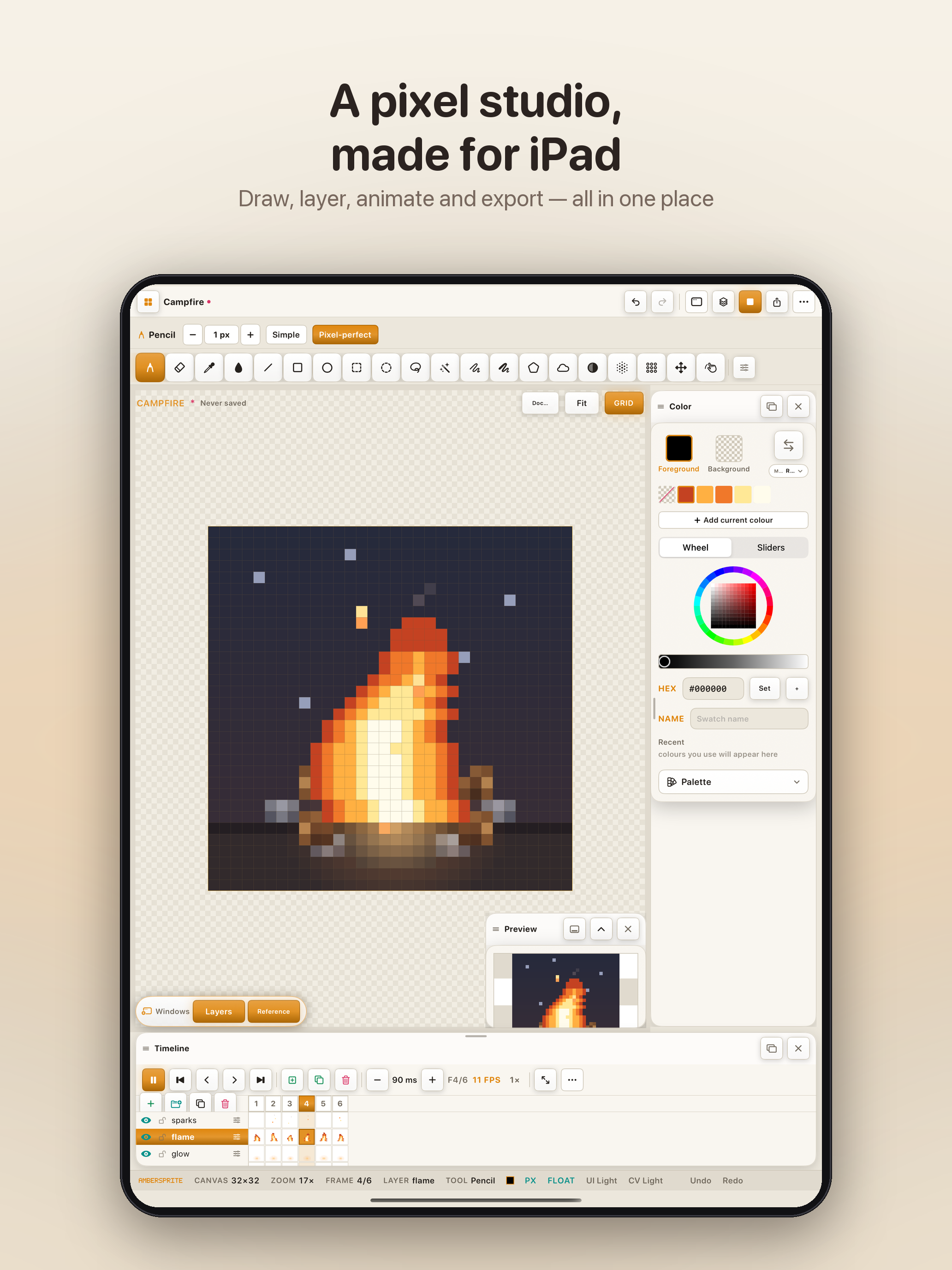
Draw pixel-perfect sprites with a finger or Apple Pencil. Animate, paint tilemaps, and export PNG, GIF, ASE, PSD, and video. A Pencil takes over the moment it touches the screen — switch a finger to navigate-only anytime in Settings.
iPad · Apple Pencil pressure & tilt · a finger draws too
Three clips straight from the App Store listing — muted, looping, exactly what shipped.
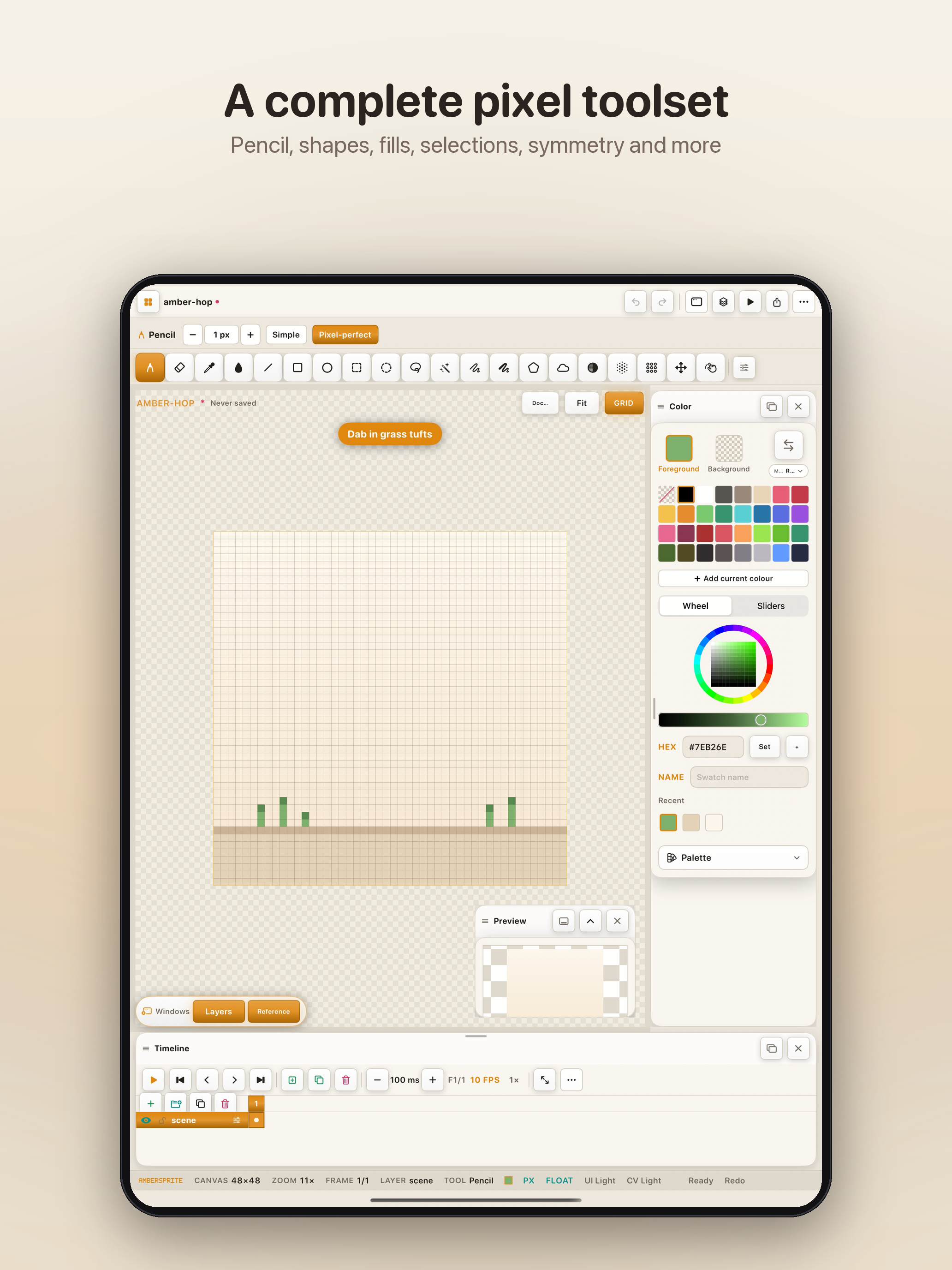
Draw, layer, animate and export — all in one place. Every tool lives where your thumb already is, and the canvas stays pixel-sharp at any zoom.

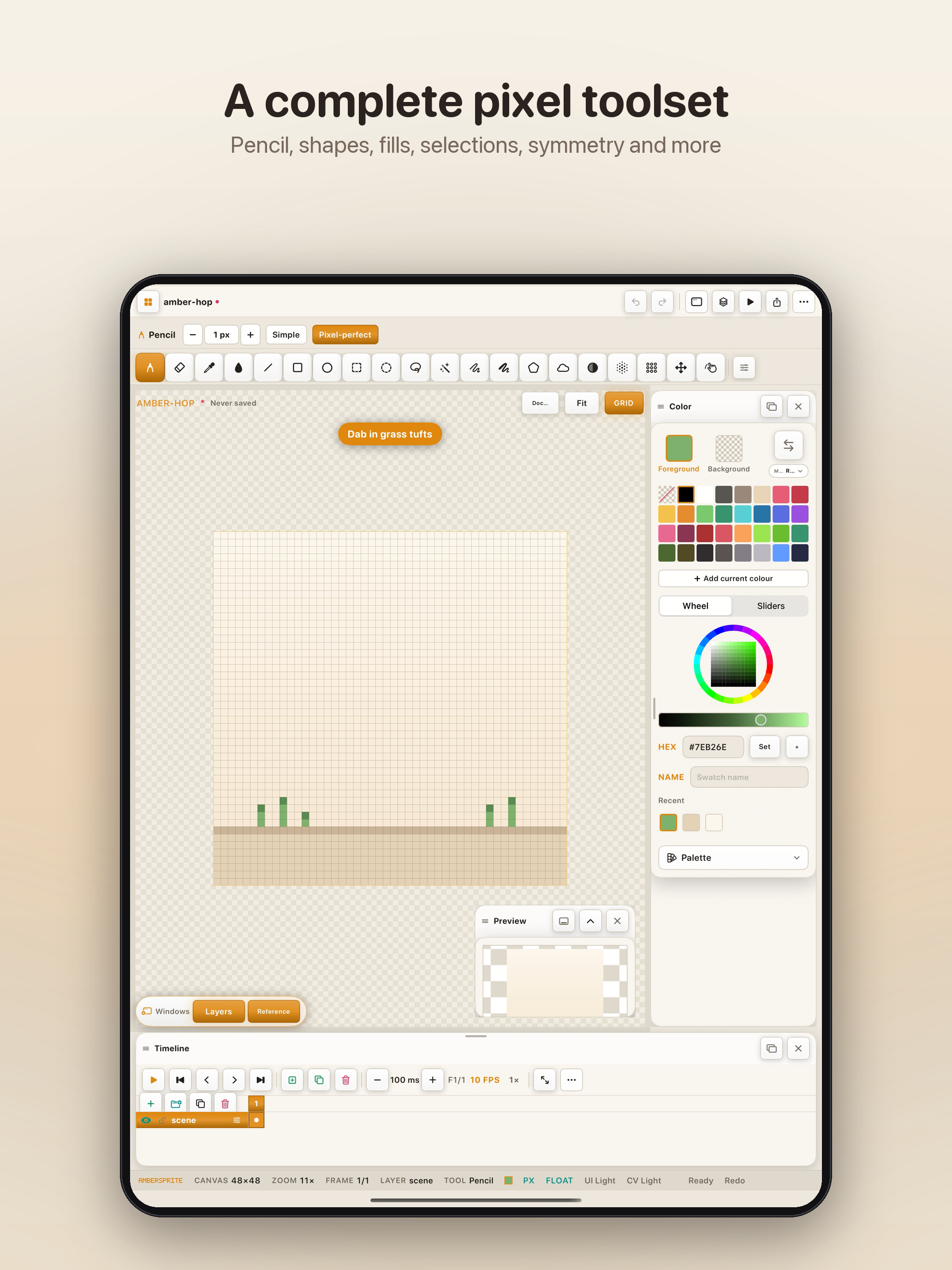
Nothing borrowed from a general-purpose painter. Every tool is tuned for hard edges and small canvases.

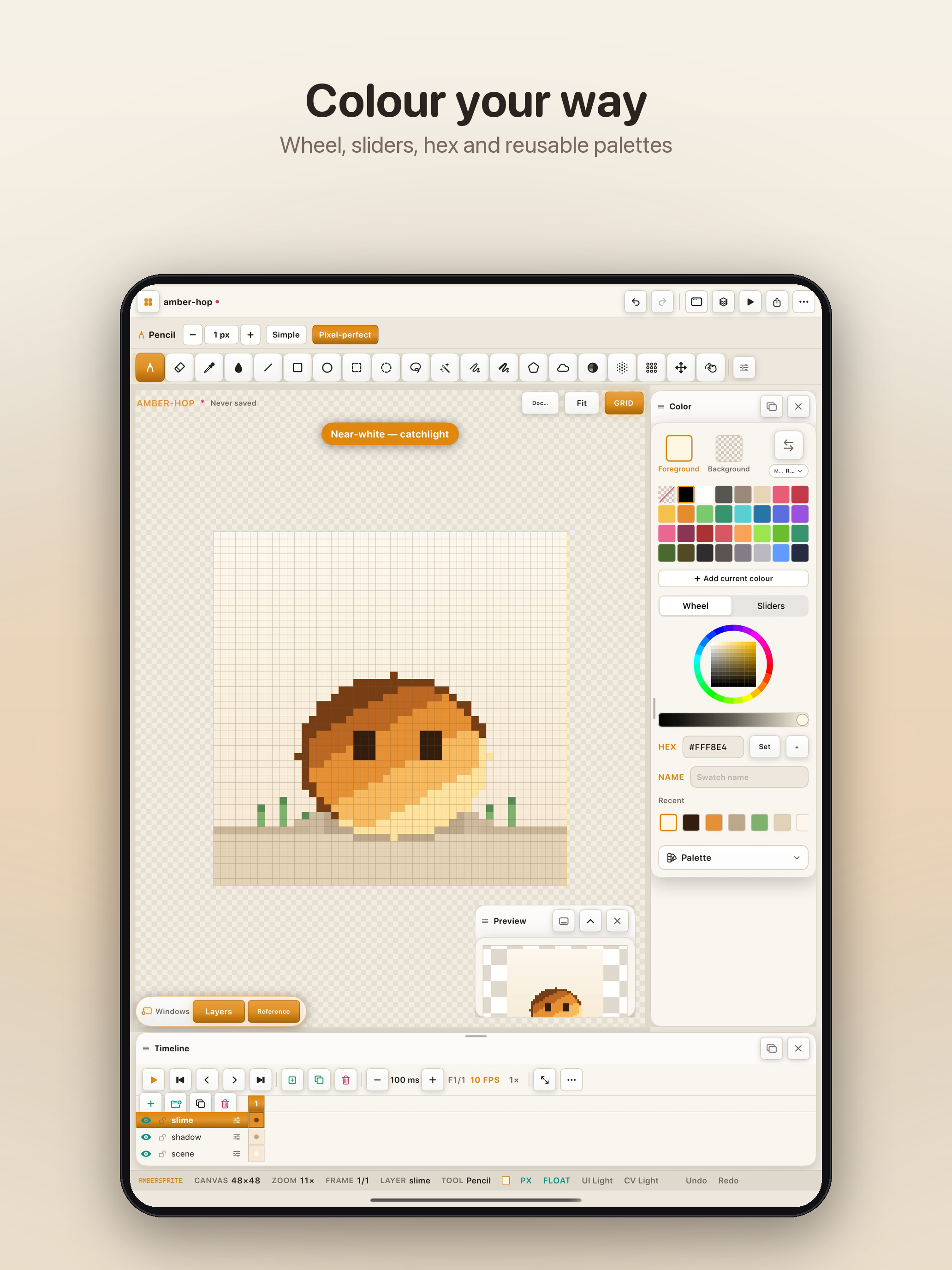
Pick colour the way you think — a wheel for feel, sliders and hex for precision — and build a named, reusable palette as you go.

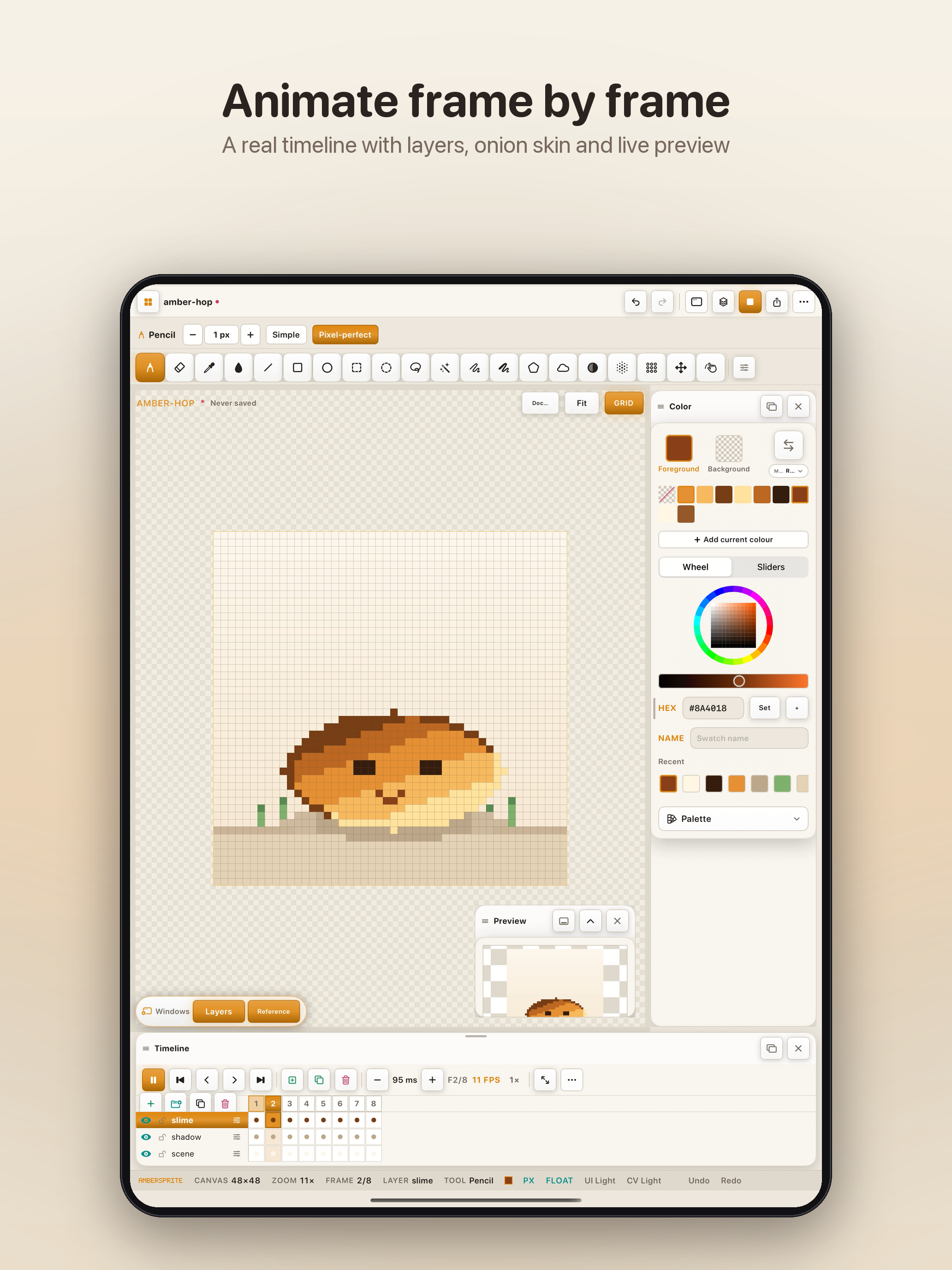
Onion-skin the previous pose, tag the loop, and watch it move in a floating preview while you draw the next frame.

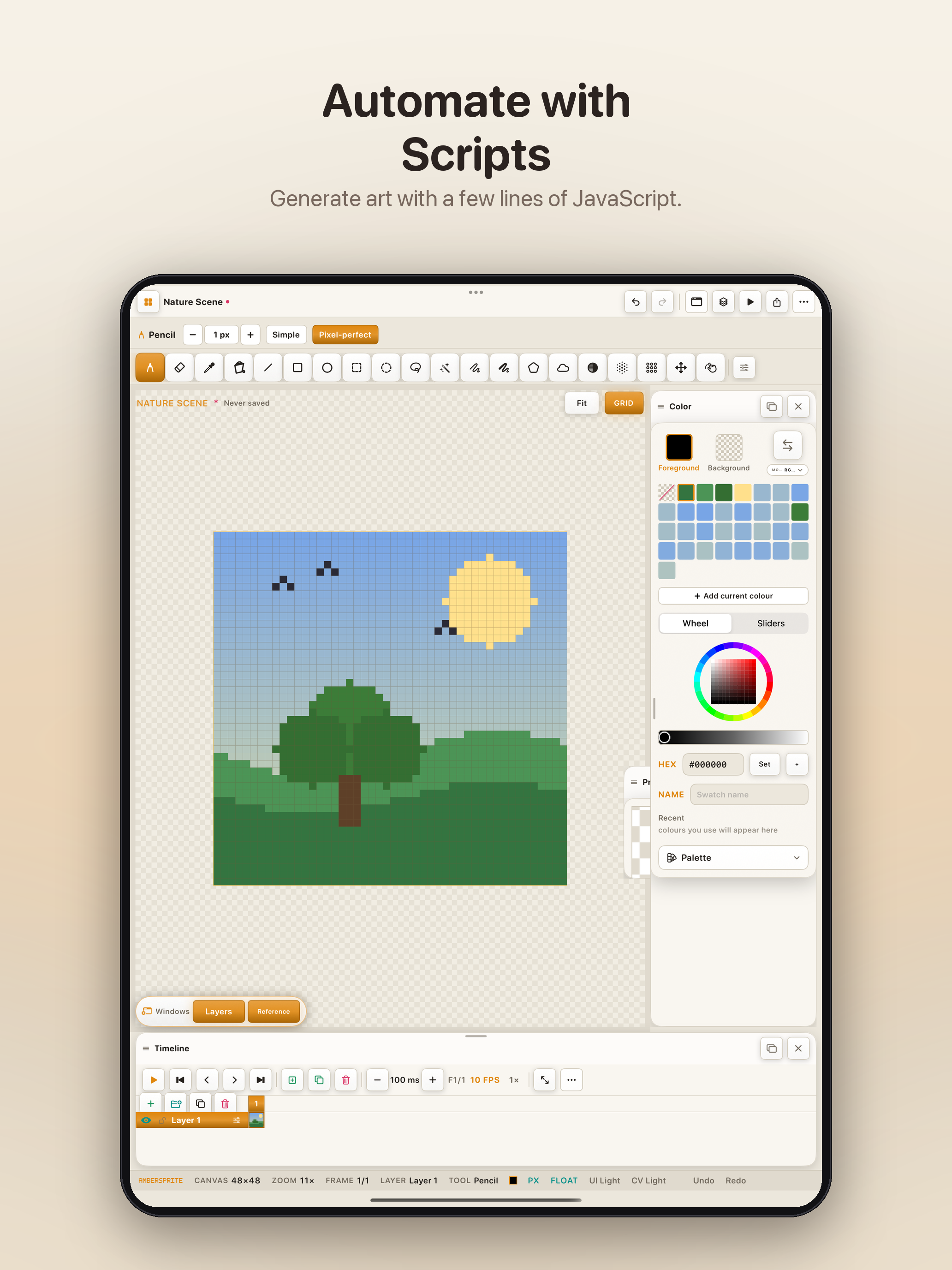
A built-in script console reads and writes pixels directly — procedural skies, tiled patterns, batch edits. See how it works ↓

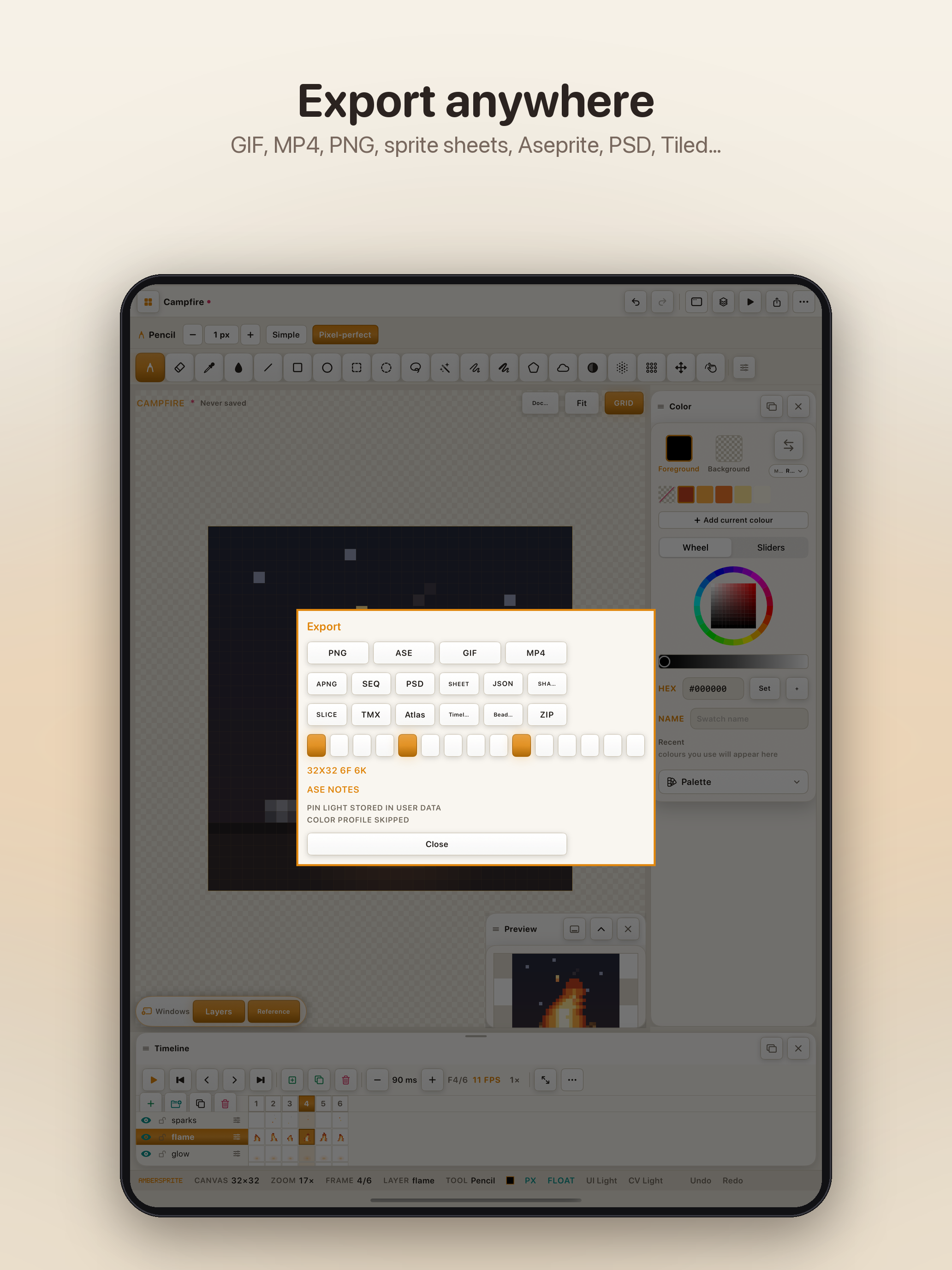
Whatever your engine or pipeline reads, Ambersprite already writes it — packaged the way you need it, not the way is easiest for us.

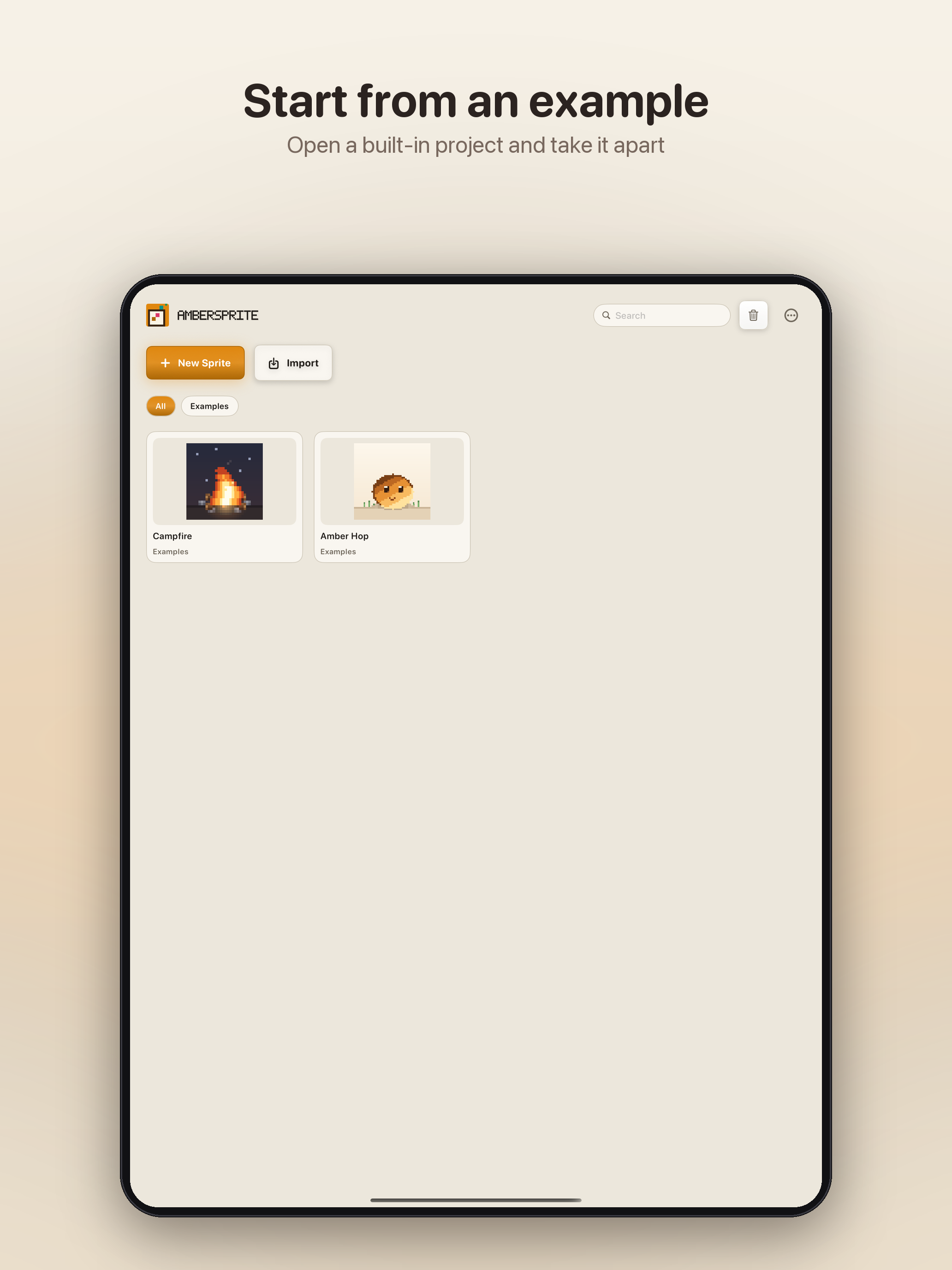
Two bundled sprites — a crackling campfire, a hopping little creature — ready to open, scrub and learn from on day one.

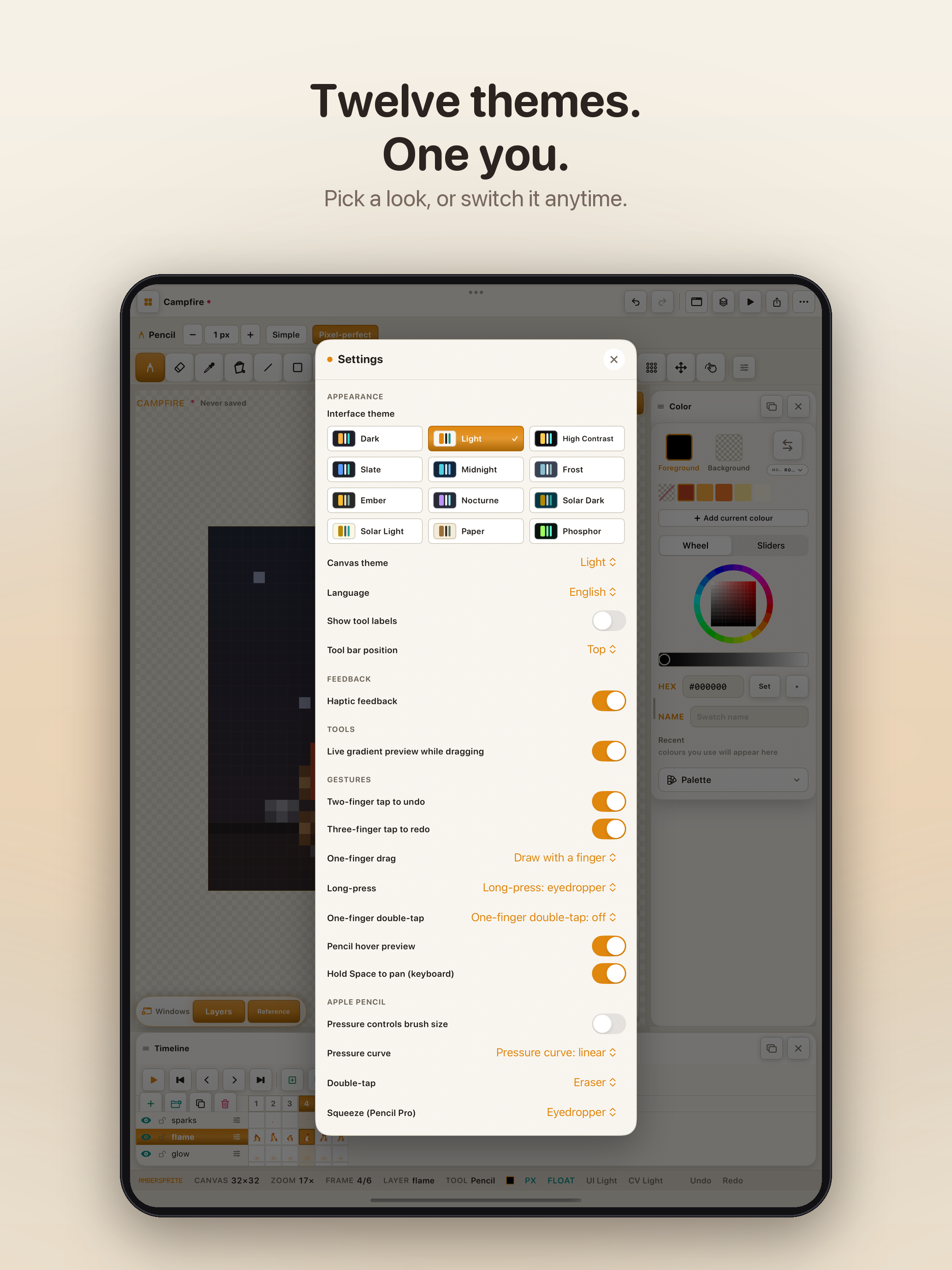
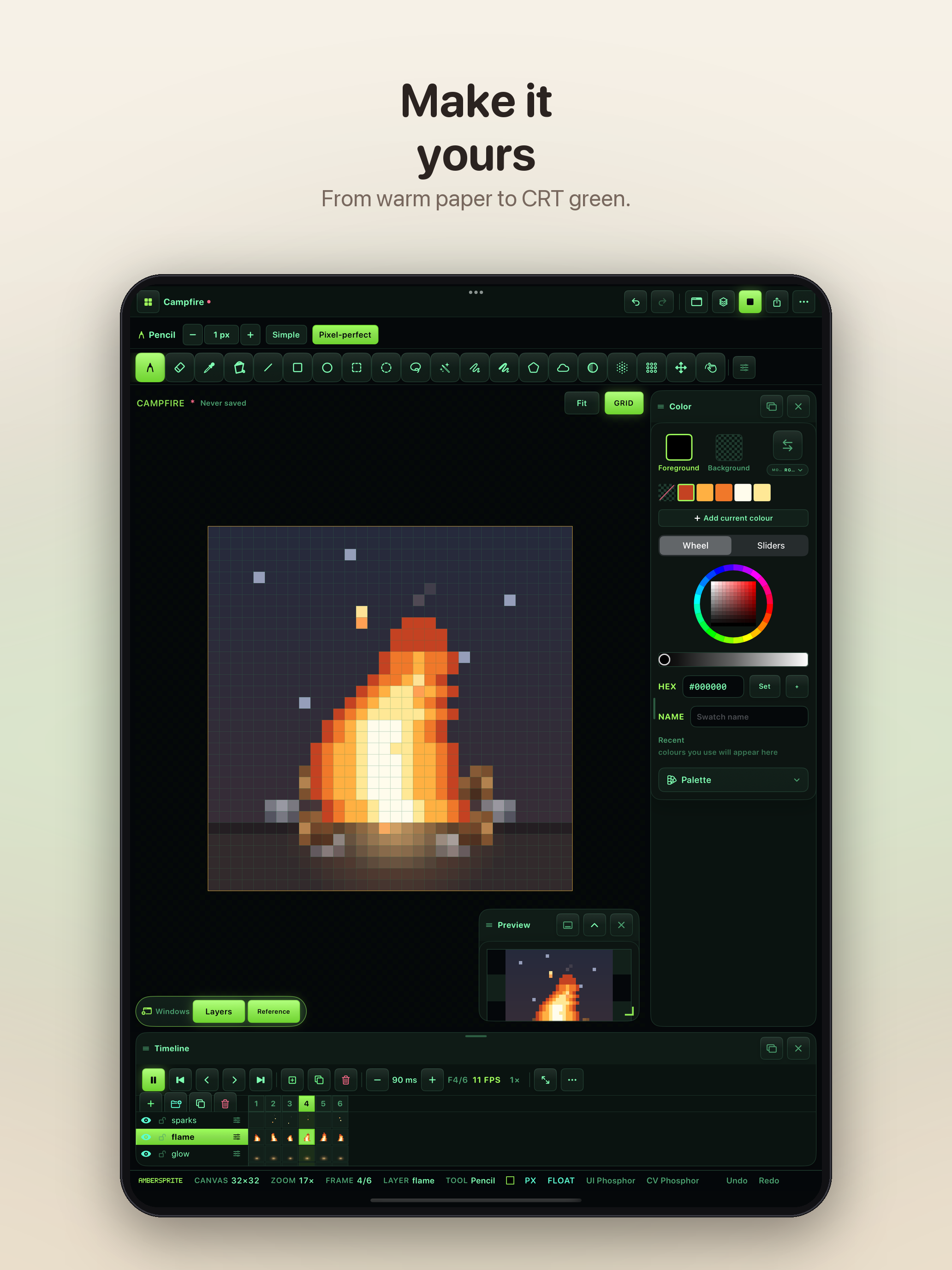
From warm paper to CRT phosphor green, the whole interface — not just the canvas — changes with you.

Ambersprite doesn't hand you one house style — it hands you the studio, and lets you decide what it looks like at 2am.
This is the real app, on a real iPad — draw directly on the screen below. The full version adds layers, frames, symmetry and every export format above.
Click and drag on the iPad screen above to draw · works with touch too

A real script console lives inside Ambersprite. It reads and writes pixels directly — setPixel, getPixel, fill, layers and frames — so a repeating pattern, a procedural sky, or a batch edit is a few lines of JavaScript away, not a hundred taps.
Ambersprite doesn't need to build AI in — the Scripts console already runs any JavaScript you give it. Ask your own AI assistant to write a script against Ambersprite's drawing commands, paste the result in, and it draws immediately. No account, no API key, no extra cost — just whatever chat tool you already use. Here's exactly how, step by step:
Open ChatGPT, Claude, or whichever you use, and describe the sprite you want in plain English.
It replies with a ready-to-run script — select it all and copy.
for (var y=0;y<16;y++)
for (var x=0;x<16;x++)
if (dist(x,y)<6.5)
setPixel(x,y,...shade);
setPixel(5,7,0,0,0,255);
setPixel(10,7,0,0,0,255);
Back in Ambersprite: open the Edit menu, choose Scripts, paste the code in, and tap Generate.
Close the sheet and there it is, drawn pixel-by-pixel, ready to colour, layer or animate further.
No — a finger draws by default. A Pencil takes over the moment it touches the screen, and you can switch a finger to navigate-only in Settings if you'd rather.
PNG, GIF, APNG, ASE, PSD, Tiled (TMX/TSX), sprite sheets, PNG sequences and video — whatever your engine or pipeline already reads.
No. Ambersprite makes no network calls — no account, no ads, no analytics, nothing to sync.
Work is checkpointed continuously in the background, so a crash, a low battery, or a fumbled tap doesn't cost you the drawing.
Any size you need — from a 16×16 icon to a full tileset — with a palette sized to match.
There's no account to create and nothing to sync. Ambersprite reads and writes only the files you choose — that's the whole architecture.